Opens Apple Developer Forums in a new tab. Apple may ask you to sign in or complete a security check.
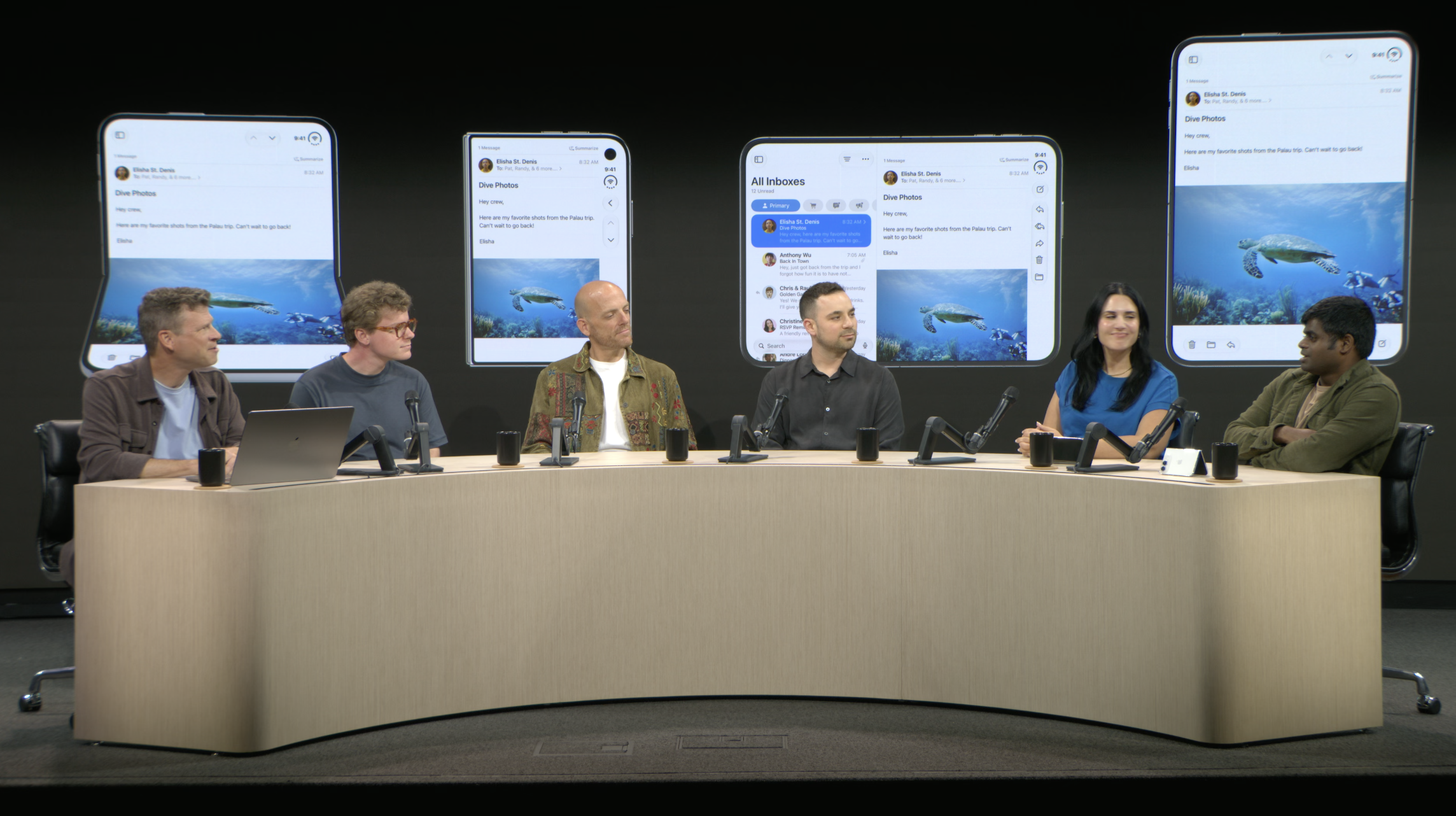
The lab paneliPhone Duo Group Lab · September 16, 2026. Screenshot from Apple’s livestream, provided by Marc Laberge.
Explore the topics
THE LEARNING AGENDA
01 / LAYOUT
Across displays. Across poses.
Adapting layouts as the available space and device pose change.
Questions to bring
Which layout decisions should respond to available space?
How can navigation and reading position stay continuous when the pose changes?
02 / HINGE
Work with the hinge.
Understanding how the hinge should influence content and interaction.
Questions to bring
What guidance should shape content placement around the hinge?
How should touch targets and gestures adapt across poses?
03 / MULTITASKING
A good neighbor in Split View.
Keeping an app useful and comfortable as it shares the display.
Questions to bring
Which compact layouts deserve dedicated testing?
How should an app preserve its state during resizing and multitasking?
04 / CAMERA
A different point of view.
Building camera experiences that feel natural in different configurations.
Questions to bring
How should the preview and controls respond to a change in pose?
What camera scenarios should be tested on device?
Which Xcode for iPhone Duo?
CHECKED SEPTEMBER 16, 2026
COMING LATER IN SEPTEMBER
Xcode 27.1 beta
Apple has announced Duo SDK and Simulator support for later this month, with no exact date yet. The simulator will support Duo’s poses and orientations.
For Duo-specific testing, watch for Xcode 27.1 beta. You can explore the general layout examples below in the meantime. Check Apple’s downloads ↗
Try it in code
SWIFTUI · iOS 27.1+
Three independent SwiftUI examples. In an iOS app project, replace ContentView.swift with one example, then open the Xcode preview or run in Simulator. This journal targets iPhone Duo on iOS 27.1 or later. Duo-specific Simulator testing requires the upcoming Xcode 27.1 beta.
01 / ViewThatFits
Fit the available width
Switch from a row to a column when the content no longer fits.
Show Swift code
FitContent.swift
import SwiftUI

struct ContentView: View {
    var body: some View {
        ViewThatFits(in: .horizontal) {
            HStack { actions }
            VStack { actions }
        }
        .buttonStyle(.bordered)
        .padding()
    }

    @ViewBuilder
    private var actions: some View {
        Button("Save to reading list") { }
        Button("Share this discovery") { }
    }
}

struct ContentView_Previews: PreviewProvider {
    static var previews: some View {
        ContentView()
    }
}
Try this : Narrow the preview or increase the text size. The buttons stack vertically.
These examples teach adaptive layout fundamentals. They do not use Duo-specific hinge or camera APIs. The first example’s buttons demonstrate layout only.
Collected from Apple Developer on September 16, 2026. The hub also lists upcoming workshops, Q&As, and tools as they become available.
Questions from the lab
01 / ADAPTIVE LAYOUTS
For an app that already supports iPhone and iPad, should we treat iPhone Duo primarily as another adaptive size-class environment, or are there scenarios where Apple recommends implementing Duo-specific layouts?
Panel answer
Focus on making the app adaptable. Build on the work already done for iPad, then layer in the newer APIs and additions, such as vertical controls.
Paraphrased from Marc’s live notes; not a verbatim quote.
02 / SEATED MODE & ORIENTATION
Can the Duo be in seated mode with the camera side face down on the table, or only outer-screen down? If so, is it possible to detect which screen is face upwards vs forwards?
Panel answer
Seated mode should work either way: with the camera side down or with the outer screen down. The panel was not sure whether an app can detect which screen faces upward versus forward. Detection remains unconfirmed.
Paraphrased from Marc’s live notes; not a verbatim quote.
03 / CUSTOM TAB BARS
Will a custom tab bar displayed at the bottom of the interface automatically adapt to iPhone Duo? How will it be displayed?
Panel answer
The panel strongly recommends moving from a custom tab bar to the standard system tab bar. The response recorded here did not confirm whether a custom bottom bar adapts automatically or how it would be displayed.
The panel also shared that Apple had wanted to introduce vertical bars for a long time, but had not had a layout where they made sense until iPhone Duo.
Paraphrased from Marc’s live notes; not a verbatim quote.
04 / TOP PRIORITY
What is one thing you'd want all developers to adapt properly for the best experience?
Panel answer
Reuse the system’s vertical bar.
Use regions to arrange content for the pose—for example, moving video to the upper area when the device is seated like a laptop.
Design thoughtfully for each pose, looking for opportunities to create delightful moments.
Keep the experience adaptable: people will use the device differently depending on where they are and what they are doing.
Paraphrased from Marc’s live notes; not a verbatim quote.
AFTER THE LAB
What I’m learning
Start with an adaptable app, build on existing iPad support, and layer in the newer APIs. The first panel answer is recorded above.